 Oguche
Learn how Ivy Tech Community College BankMobile works, including financial aid disbursements, refund options, timelines, fees, and how students can access their money safely and fact.
Student financial services have changed a lot in the last few years. They now provide new and creative ways for students to handle their money while they are in college. BankMobile is one of these new technologies. It is a digital banking platform that works with Ivy Tech Community College. This cooperation makes banking easy and smooth for students by delivering a wide range of services that are perfect for today’s college students.
If you’re interested in how schools improve communication and student support systems, you may also find our guide on student support technologies in education helpful:https://samojayedu.com/2026/02/14/1465/
What is BankMobile?
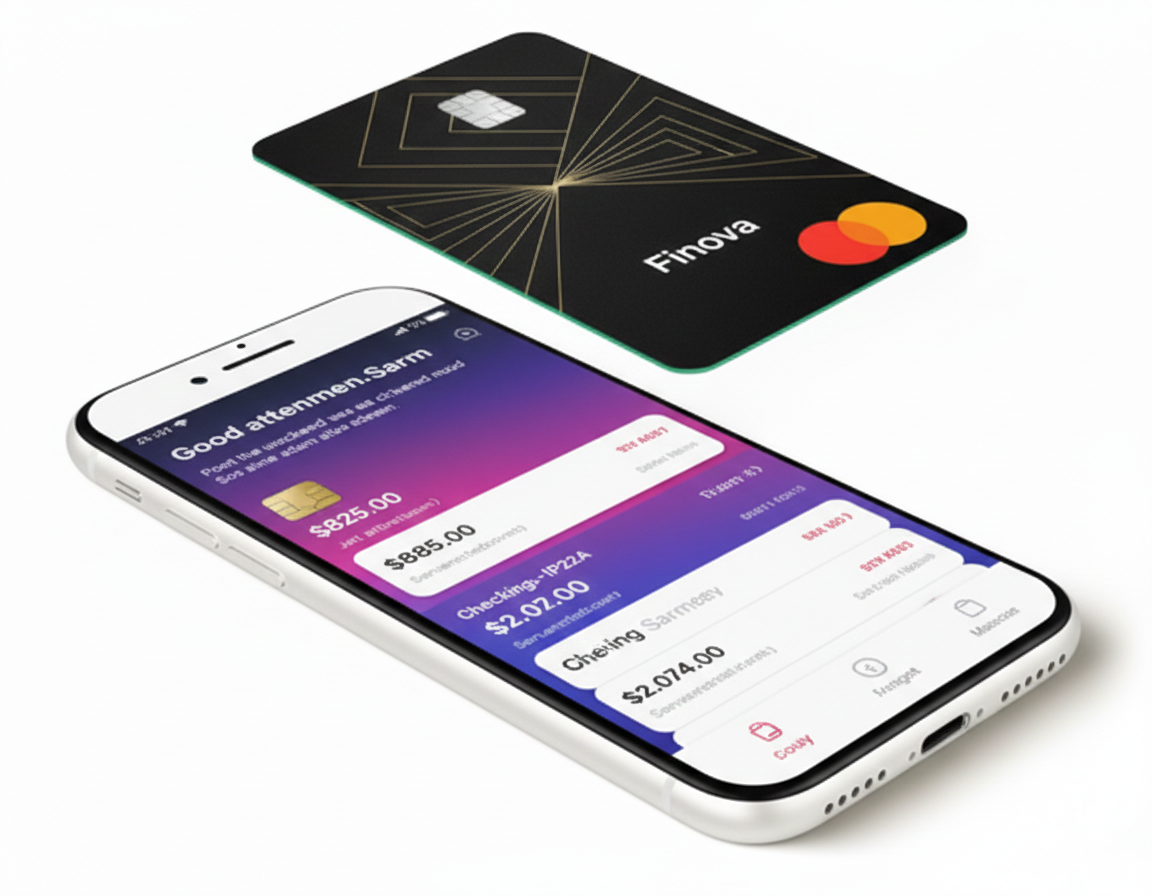
BankMobile is a digital banking service that helps students manage their money by giving them the banking services they need without having to go to a physical bank office. BankMobile started out as a part of Customers Bank. Its mobile app offers a wide range of services, including fee-free accounts, simple access to financial aid, and digital tools to help students manage their money well.
BankMobile works with Ivy Tech to give students a simple and effective method to access and manage their financial assistance monies, get direct deposits, and do their everyday banking. The software is easy to use and accessible, which helps students keep track of their money while they focus on their education.
The Partnership Between BankMobile and Ivy Tech
Ivy Tech Community College, which is one of the biggest community colleges in the US, has teamed up with BankMobile to help students manage their money more easily and without any problems. This partnership was meant to give students a number of benefits, such as quicker access to financial aid returns and a simple way to take care of their banking needs on a daily basis.
With this agreement, Ivy Tech students can get their financial aid refunds through the BankMobile Refund Selection. This lets them choose how they want to get their money. Students can get their refunds from BankMobile in a few different ways: by electronic transfer to a BankMobile Vibe Account, by physical check, or by sending money to an outside bank account. This flexibility makes it easy for students to get their financial aid as quickly and easily as possible, so they may use that money when they need it.
Important Things About BankMobile at Ivy Tech
The BankMobile platform has a lot of features that are made just for students. Let’s look at some of the main things that make it a useful tool for Ivy Tech students:
BankMobile Vibe Account: The BankMobile Vibe account is a checking account with no fees that gives Ivy Tech students a lot of benefits. There are no monthly maintenance fees, overdraft fees, or minimum balance requirements for this account. This is great for students who are trying to save money while they’re in school. Students can use the debit card that comes with the account to make everyday transactions and get cash from ATMs all throughout the country.
Refund Options: Ivy Tech students can pick how they want to get their financial assistance refunds. You can choose to have your money sent directly to a BankMobile Vibe Account, an outside bank account, or a paper check. It’s easy to choose a refund, and you may do it on the BankMobile website or app.
Direct Deposit: Students can have their financial aid and other returns directly deposited into their BankMobile Vibe Account with BankMobile. This means they can get their money faster. This means you don’t have to wait for paper checks or worry about processing times that can be longer with regular banking methods.
BankMobile is a mobile app that is easy to use and lets students keep track of their money while they are on the road. The app has a lot of useful features, such as checking account balances, moving money, paying bills, and finding ATMs. Students may also use the app to set up alerts for different transactions, which will help them keep track of their money.
Access to ATMs: BankMobile provides a network of ATMs that students can use to get cash without paying any extra fees. Students can use the BankMobile app to identify the closest ATMs, which makes it easy to get cash when they need it.
BankMobile has strong online and mobile banking tools that let students check their balances, keep track of their spending, send money, and make payments from anywhere. This flexibility helps students keep track of their money and prevent late fines and missed payments.
BankMobile offers students more than just banking services; it also gives them access to financial education tools and information. These tools can help children learn how to budget, save, and manage their money well. This is especially crucial for college students who are typically handling their money for the first time.
How to Get BankMobile at Ivy Tech
It’s really easy to get started with BankMobile at Ivy Tech. When a student signs up for Ivy Tech, they will get a BankMobile Refund Selection packet. This packet has vital information about how to set up their BankMobile Vibe Account, pick a way to get their money back, and get to their financial aid funds.
To get started with BankMobile, do the following:
Activate Your Account: The first thing you need to do is log onto the BankMobile platform using the instructions in your package to activate your account.
Pick a way to get your money back: You will be asked how you want to get your financial aid return throughout the activation procedure. You can opt to have the refund sent to your BankMobile Vibe Account, an outside bank account, or a physical check.
Set Up Direct Deposit (Optional): Students who want their refunds to go straight into their BankMobile Vibe Account or another bank account can do so through the internet or mobile banking platform.
Start Using the Account: You may use your BankMobile Vibe Account to manage your money, buy things, and get your financial aid reimbursements once your account is set up.
Benefits of BankMobile at Ivy Tech
BankMobile is a great way to get financial aid and do your everyday banking at Ivy Tech for a number of reasons. Some of the most important benefits are:
BankMobile makes sure that students get their financial assistance reimbursements fast and easily. Direct deposit lets students get their money faster, which is important whether they need it for books, supplies, or living costs.
No Fees for Banking: BankMobile lets you bank without paying any fees, such as monthly maintenance fees, overdraft fees, or minimum balance requirements. This is especially helpful for college students who may not have a lot of money to spend.
Control and Flexibility: Students have more control over their money since they may pick how they get their financial aid. Students can collect their money in the way that works best for them, whether they choose a physical check or an electronic transfer.
BankMobile also has useful tools and resources for teaching students about money so they may become more financially literate and make smart choices about how to spend their money.
(FAQs)
What is Ivy Tech BankMobile used for?
Ivy Tech BankMobile is used to deliver financial aid refunds and other student disbursements. It allows students to choose how they receive their refund, such as direct deposit or a BankMobile account.
Is BankMobile required for Ivy Tech students?
Students are not required to open a BankMobile checking account. However, they must select a refund preference through BankMobile to receive financial aid refunds.
How long does it take to receive a refund from BankMobile?
Refunds are usually processed within 1–2 business days after Ivy Tech releases the funds, depending on the selected refund method.
Are there fees associated with BankMobile?
Some options, such as standard direct deposit, are typically free. Other services may include fees, so students should review BankMobile’s terms carefully before choosing an option.
Can I change my BankMobile refund preference later?
Yes. Students can log in to their BankMobile profile at any time and update their refund delivery preference if their banking needs change.
Is BankMobile safe to use for financial aid refunds?
Yes. BankMobile uses standard banking security measures, but students should always protect their login information and review account activity regularly.
Conclusion
BankMobile at Ivy Tech is a great way for students to keep track of their money in a quick and cheap way. The platform has a lot of services that are useful for college students, like mobile banking, free banking, and quick access to financial assistance returns. It also has tools for learning about money.
BankMobile makes it easier than ever to manage your money while going to Ivy Tech because its technology is so straightforward to use. Ivy Tech students can use BankMobile’s services to remain on top of their money and focus on what really matters: their education.
This article is for informational purposes only and does not replace official guidance from Ivy Tech or BankMobile.
Understanding how your financial aid refunds work can save you time, stress, and unnecessary fees.
If you’re an Ivy Tech student, take a few minutes to set up your BankMobile refund preference today so you can receive your money faster and manage it smarter.
For more student-focused education and finance guides, for more helpful resourceful insights visit Samojayedu.com
SamojayEdu is an education and tech content writer focused on helping students understand complex academic systems, financial aid processes, and digital tools.


 Oguche